🔍 How to Check If Your Password Has Been Leaked: The 2026 Guide
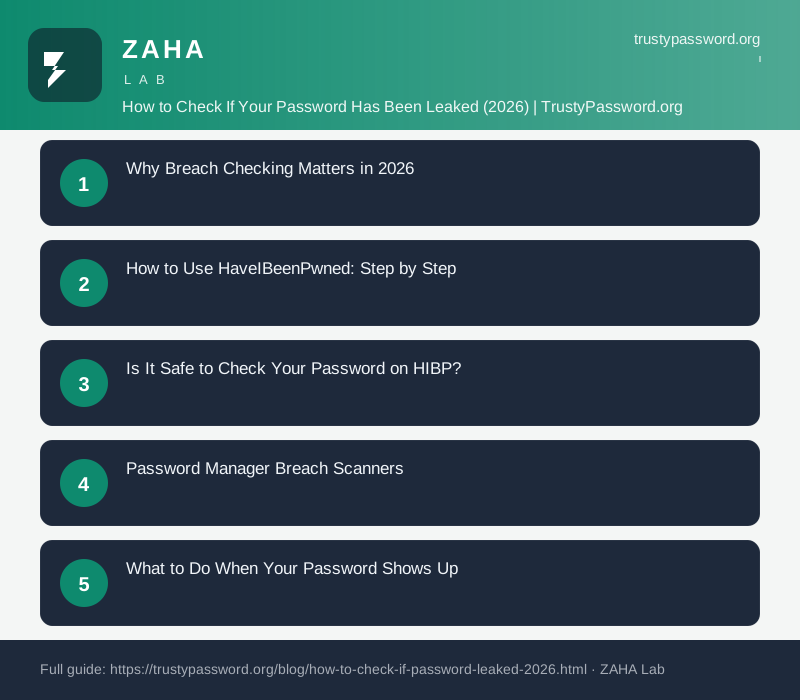
On this page
Troy Hunt's HaveIBeenPwned database passed 14 billion breached account records in 2025. If you have reused a password across more than one site, your credentials are almost certainly sitting in at least one criminal dataset right now.
To check if your password has been leaked, go to haveibeenpwned.com, enter your email address, and review the breach results. For a direct password check, use the Pwned Passwords tab or your password manager's built-in breach scanner.
This guide covers how to use each tool safely, why the main services are trustworthy despite handling sensitive data, what the results actually mean, and the correct response when your credentials appear.
Why Breach Checking Matters in 2026
Data breach volumes have reached a scale that makes checking no longer optional for anyone who reuses passwords. In 2025, infostealer malware alone generated an estimated 1.8 billion fresh stolen credentials circulating in criminal forums. These are not old records from a 2015 breach dump. They are credentials harvested in the past 12 months, with many already being used in automated login attacks within hours of theft.
The financial stakes reinforce the urgency. IBM's Cost of a Data Breach 2024 report put the average cost of a corporate credential breach at $4.88 million. For individuals, the cost is harder to quantify but includes identity theft, account lockouts, fraudulent purchases, and weeks of recovery work.
NIST's digital identity guidelines, SP 800-63B Section 5.1.1, state that "verifiers SHALL compare the prospective secret against a list that contains values known to be commonly-used, expected, or compromised" and shall reject any password found in that list. NIST wrote that standard for organizations building authentication systems. The same logic applies to individuals: a password already in criminal hands should be treated as no longer secret.
Attackers run credential stuffing attacks automatically. The moment a breach dataset becomes available, bots begin testing those email-and-password combinations across hundreds of services simultaneously. The window between a breach appearing in criminal markets and the first wave of login attempts is typically under 24 hours. Checking regularly, or enabling automated alerts, is the only way to stay ahead of that timeline.
How to Use HaveIBeenPwned: Step by Step
HaveIBeenPwned (HIBP) is free, run by security researcher Troy Hunt, and aggregates more breach records than any other public service. You can check both email addresses and individual passwords.
Email address check:
- Go to haveibeenpwned.com.
- Enter your email address in the search box and press Enter.
- If the result says "Oh no - pwned!", the page lists every breach containing that email. Each entry shows the breach name, the date it was added to HIBP, and which data types were exposed: passwords, phone numbers, physical addresses, and so on.
- If the result says "Good news - no pwnage found!", your address does not appear in any breach currently in the HIBP dataset. Absence from HIBP does not guarantee the email was never breached. Some breaches are not yet public or are too small to be catalogued, so absence is reassuring but not a guarantee.
Password hash check:
- Go to haveibeenpwned.com/passwords.
- Enter the password you want to check. The site hashes it client-side and sends only the first 5 characters of the hash to the server (see the safety section below for why this is safe).
- If results show your password with a count above zero, that exact password string appears in breach data. One appearance is enough: that string is in attacker wordlists used by automated tools.
- A zero result means the password is not in the Pwned Passwords dataset. That does not make it strong. Use TrustyPassword.org's breach check tool for a quick check combined with strength scoring.
Check every email address you actively use. An address you created a decade ago for a gaming account may have appeared in a breach you never heard of, and if you reused that password anywhere more sensitive, you are exposed.
Is It Safe to Check Your Password on HIBP?
Entering your password into a third-party website is normally a bad idea. HaveIBeenPwned is the exception because it never actually receives your full password. The technical method it uses is called k-anonymity, and it works as follows:
- Your browser converts the password to its SHA-1 hash. This is a one-way transformation: knowing the hash does not reveal the original password.
- Only the first 5 characters of that hash are sent to the HIBP server over HTTPS.
- HIBP returns every hash in its database beginning with those same 5 characters, typically several hundred results.
- Your browser checks that full list locally to see if your complete hash appears anywhere in it. This comparison happens entirely on your device.
- The full hash never leaves your browser, and the original password is never transmitted.
The UK National Cyber Security Centre (NCSC) formally endorses this approach. From the NCSC's password administration guidance for system owners: "The most effective implementation prevents users from choosing passwords that have previously appeared in data breaches." The NCSC specifically recommends HIBP's Pwned Passwords API for organizations building this validation into their own systems.
A site asking you to type your plain-text password into a form for a "breach check" is not using this method. Avoid it.
Password Manager Breach Scanners
Checking one email address on HIBP takes 10 seconds. Checking 80 saved passwords manually would take the better part of an hour. Password managers solve this by scanning your entire vault automatically and alerting you when any saved credential appears in breach data.
| Tool | What It Scans | Continuous Alerts | Cost |
|---|---|---|---|
| NordPass | Full password vault + email addresses | Yes, push notifications | Free tier; Premium from $1.49/mo |
| Google Password Checkup | Chrome/Android saved passwords | Yes, in-app warnings | Free (Google account required) |
| Apple Passwords | iCloud Keychain via HIBP integration | Yes, Security Recommendations | Free (Apple device required) |
| Bitwarden | Vault Health Reports via HIBP | Manual trigger only | Free tier; Premium $10/yr |
| HIBP (manual) | Email address and password hash lookup | Free email notifications | Free |
NordPass's Data Breach Scanner checks both your saved passwords against the Pwned Passwords dataset and your email addresses against breach notification databases in one pass. The free tier includes a one-time scan. The paid plan adds continuous background monitoring that sends an alert within hours of a new breach involving your credentials, without you needing to remember to check.
Google Password Checkup and Apple Passwords are worth enabling if you already use those platforms and do not yet have a dedicated password manager. Both use the same k-anonymity method as HIBP, so neither Google nor Apple ever receives your full passwords in plain text during the scan.
What to Do When Your Password Shows Up
Finding your email or password in a breach does not mean your account is actively under attack right now. It means those credentials were exposed in a past breach dump and have been available to attackers since that date. Whether anyone has acted on them depends on how recently the breach occurred, how widely the data was distributed, and whether you changed the password after the breach date.
The response is the same regardless of timing:
- Change the password on the specific breached site immediately. Log in to that service, go to account settings, and generate a new unique password using a password manager. Do not reuse any previous version of the password.
- Find every other site where you used the same password. A password manager makes this fast: search your vault for accounts sharing that credential string. Change the password on all of them. This is the step most people skip and the one that causes the most damage.
- Enable two-factor authentication on the affected accounts. A changed password alone is not enough if the attacker already has an active session from before the change. On each account, check the "active sessions" or "devices" section in settings and revoke any sessions you do not recognize. Then turn on 2FA.
- Act faster on financial accounts. Log in directly via the institution's official app, not a link in an email. Check recent transactions for anything unfamiliar. Most banks have a 48-hour window for unauthorized transaction disputes, so speed matters here.
- Check for secondary persistence mechanisms. After a credential compromise, attackers frequently add email forwarding rules, OAuth app authorizations, or recovery phone number changes that survive a password reset. In the settings of any breached email account, review connected apps, mail routing, and recovery options. The guide on adversary-in-the-middle phishing attacks covers why session-level persistence is the harder problem to close.
Setting Up Ongoing Breach Alerts
Manual checks after a public breach announcement help, but breach data often circulates privately for weeks or months before becoming public. Continuous monitoring closes that gap.
HIBP email notifications are free and require nothing more than an email address. Go to haveibeenpwned.com/NotifyMe and enter the addresses you want to monitor. HIBP sends a notification email within a few hours of your address appearing in a newly catalogued breach. You can register multiple addresses from a single account and manage them from a dashboard. This is the best starting point for anyone who does not yet use a paid password manager.
NordPass continuous monitoring covers both email addresses and your full saved password vault, running in the background with no manual trigger required. For anyone using NordPass as their primary manager, the paid plan's monitoring feature eliminates the need for separate HIBP setup. The advantage over email-only monitoring is that it catches breached passwords even when the breached site did not use your primary email address.
HIBP domain monitoring is designed for website owners and IT administrators. After verifying ownership of a domain, HIBP notifies you whenever any address on that domain appears in a new breach. This is a practical tool for anyone managing a small team's credentials or running a site that stores user accounts. Troy Hunt's documentation explains the domain verification and API setup process in detail.
For most individuals, the free HIBP email notifications combined with a password manager's vault health report covers all practical monitoring needs at zero cost.
FAQs
What is a credential breach check?
A credential breach check compares your email address or password hash against a database compiled from publicly disclosed data breaches. Services like HaveIBeenPwned aggregate hundreds of millions of breach records so you can find out whether your credentials were exposed before an attacker uses them. The check is free and takes under a minute.
Is HaveIBeenPwned safe to use?
Yes. Checking your email address on HIBP is straightforward and safe. For password checks, HIBP uses k-anonymity: your browser sends only the first 5 characters of your password's SHA-1 hash. The server returns all matching hashes, and your browser checks locally whether yours appears. Your full password never leaves your device. The UK NCSC officially endorses using HIBP's Pwned Passwords API for organizational password validation systems.
Should I enter my actual password on a breach check site?
Only on HaveIBeenPwned's Pwned Passwords feature, which hashes the password client-side before any data leaves your browser. On any other site, do not enter your password directly. A legitimate breach checking tool will either hash client-side or only ask for your email address. A site asking for plain-text input on a form labeled "breach check" is a risk not worth taking.
How often should I check if my password has been leaked?
Set up free HIBP email notifications and you will be alerted within hours of your email appearing in a new breach, removing the need for scheduled manual checks. If you use a password manager with continuous breach scanning, background monitoring covers your entire vault without any action from you. Manual on-demand checks remain useful immediately after a widely reported breach at a service you use.
What should I do immediately if my password appears in a breach?
Change the affected password on the compromised site first. Then search your password manager for any other accounts using the same password and change those too. Enable two-factor authentication on the affected accounts and revoke active sessions you do not recognize. For financial accounts, check recent transactions and contact the institution directly if anything looks wrong.