🔐 Adversary-in-the-Middle Phishing: How Attackers Bypass Two-Factor Authentication (2026)
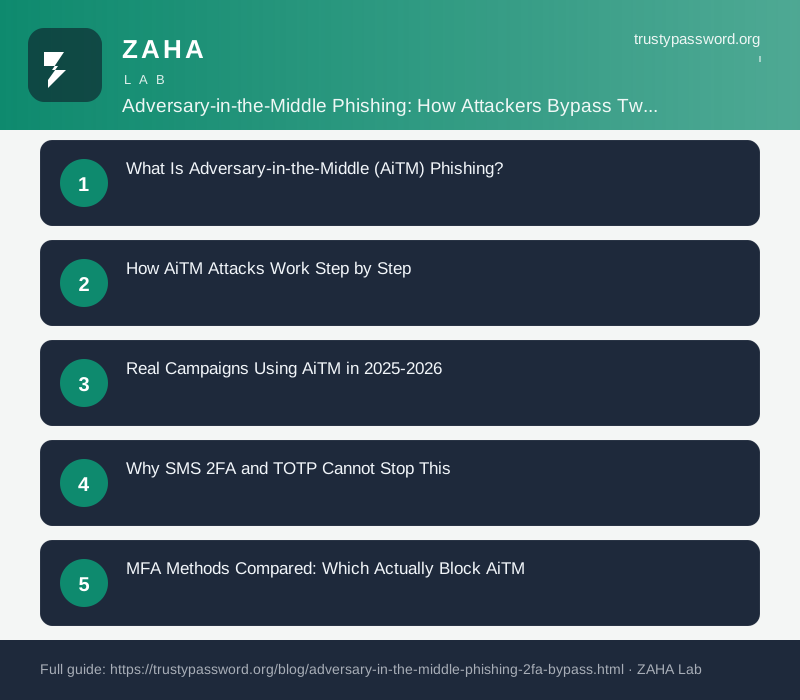
On this page
Microsoft's 2025 threat intelligence report logged more than 146 billion AiTM phishing attempts in a single year. Turning on SMS two-factor authentication does not stop this attack. The attacker captures your OTP code in real time and uses it before it expires.
Adversary-in-the-middle (AiTM) phishing is the dominant technique attackers now use to bypass two-factor authentication. It works by inserting a reverse proxy between the victim and the real login page, capturing both the password and the resulting session cookie in real time. No malware required. The victim types real credentials into what looks like a legitimate page, and the attacker walks away with full account access seconds later.
This guide explains exactly how the attack chain runs, which MFA methods stop it and which do not, and how to recover if you suspect you have already been targeted.
What Is Adversary-in-the-Middle (AiTM) Phishing?
AiTM phishing is not a new concept, but freely available phishing-as-a-service (PhaaS) kits turned it into a commodity attack in 2023. Before that, running a reverse proxy required technical skill. Tools like Evilginx, Muraena, and Modlishka reduced the barrier to a subscription fee and a domain name.
The attack targets the session cookie, not just the password. Session cookies are the small files a website issues after login to remember who you are. They typically remain valid for hours or days. An attacker who captures your session cookie can replay it in a fresh browser and inherit your authenticated session without ever needing your password or OTP again.
This is why the attack is categorically different from classic phishing. Classic phishing steals a password. AiTM phishing steals the proof that you already authenticated. A stolen password can be blocked by MFA. A stolen session cookie bypasses MFA entirely because authentication has already happened.
How AiTM Attacks Work Step by Step
The full attack chain takes seconds from the victim's perspective. Here is each stage:
- The victim receives a phishing link. Delivery methods include email, SMS, Teams/Slack messages, and QR codes. The link points to an attacker-controlled domain that visually mirrors the real service. Common lures in 2026 include fake Microsoft 365 sign-in pages, DocuSign notifications, and HR portal alerts.
- The proxy fetches the real login page. The attacker's server requests the genuine login page from the real site and serves it to the victim. The victim sees an accurate copy because it is the actual page, rendered live through the proxy.
- The victim enters credentials. Username and password flow through the proxy to the real site. The proxy stores them. The real site accepts them and sends a 2FA challenge.
- The proxy relays the 2FA challenge. The victim sees the real OTP prompt. They enter their SMS code or authenticator app code. The proxy forwards it to the real site before the 30-second TOTP window or SMS expiry closes.
- The real site issues a session cookie. Authentication succeeds. The real site sends back a valid session cookie. The proxy captures it before forwarding the response to the victim.
- The attacker imports the session cookie. The attacker uses a tool like Cookie-Editor or a browser automation script to inject the captured cookie into a fresh session. They now have full access. The victim may not notice anything unusual because their own session also appears to work normally.
The average dwell time between cookie capture and first malicious action in Microsoft's 2025 data was 5 minutes. Email forwarding rules and OAuth app authorizations are the two most common actions attackers take in that window, both of which persist after a password reset.
Real Campaigns Using AiTM in 2025-2026
AiTM attacks are not theoretical. Several large campaigns confirmed this attack path publicly.
In 2022, Microsoft documented a campaign by the threat actor tracked as Storm-1167 that targeted over 10,000 organizations in a single wave using Evilginx-style infrastructure. The campaign bypassed Office 365 MFA, accessed corporate email, and initiated business email compromise (BEC) fraud within minutes of session capture. CISA and the FBI issued a joint advisory on the technique in March 2023.
In 2024, the PhaaS platform Greatness (attributed to the threat cluster Storm-1286) added real-time OTP relay as a standard feature. By mid-2025, the Tycoon 2FA kit had processed over 1,200 phishing domains and was being actively sold on Telegram channels for $120 per month. Tycoon 2FA was specifically engineered to defeat Microsoft Entra ID and Google Workspace MFA, including authenticator app TOTP codes.
CISA's 2026 advisory on phishing-resistant MFA states: "AiTM attacks represent the primary escalation vector for credential-based intrusions. Organizations relying solely on OTP-based MFA should treat their accounts as unprotected against this threat class."
Why SMS 2FA and TOTP Cannot Stop This
The question most people ask is: "I have two-factor authentication turned on, so am I safe?" For SMS and authenticator app TOTP, the honest answer is no, not against this specific attack.
SMS one-time passwords expire in 5-10 minutes. TOTP codes from apps like Google Authenticator expire in 30 seconds. Both numbers sound reassuring until you understand the timing. The AiTM proxy relay happens in under a second. The victim types the code, the proxy forwards it, the real site validates it, and the session cookie is captured before the victim even sees the redirect.
The fundamental problem is that SMS and TOTP codes are shared secrets. They prove the user has access to a device, but they do not prove the user is talking directly to the real website. A relay that forwards the code in real time satisfies the server's check. There is no binding between the code and the specific session between the victim and the server.
Push notification MFA (like Microsoft Authenticator's number matching) adds friction, but it does not eliminate the vulnerability. If the victim approves the push notification, the proxy captures the session. Attackers counter number matching by sending the correct number through the proxy's rendered page.
MFA Methods Compared: Which Actually Block AiTM
| MFA Method | Stops AiTM? | Why / Why Not |
|---|---|---|
| SMS OTP | No | Relayed in real time; also vulnerable to SIM swap |
| Authenticator app (TOTP) | No | 30-second window is more than enough for relay |
| Push notification (approve/deny) | No | Approval forwards session cookie to attacker |
| Push with number matching | Partial | Raises attacker effort; proxy can relay the correct number |
| Certificate-based authentication | Yes | Origin-bound; proxy cannot generate a valid certificate response |
| FIDO2 hardware key (YubiKey, Titan) | Yes | Key signs a challenge bound to the exact origin domain |
| Device passkey (WebAuthn) | Yes | Passkey signature includes origin; phishing domain fails the check |
The key property that makes FIDO2 and passkeys immune is origin binding. When you authenticate with a hardware key or device passkey, the key or device signs a cryptographic challenge that includes the exact domain of the service. A phishing proxy operates on a different domain (even one like "microsoft-login.example.com" instead of "login.microsoftonline.com"). The signed response the key generates is only valid for the real domain. The proxy cannot present that response to the real site because the domain in the signature does not match.
NIST SP 800-63B classifies FIDO2-based authentication as the highest assurance authenticator type. According to CISA's 2023 guide on phishing-resistant MFA: "Only phishing-resistant MFA can reliably stop AiTM attacks. FIDO/WebAuthn-based methods and PKI-based certificates are the recommended alternatives to OTP-based approaches."
How to Spot an AiTM Phishing Attempt
Because the proxy renders the real page, visual inspection alone is not reliable. Check the URL bar. The domain will not match the real service. "login.microsoftonline.com" is real. "microsoft-365-signin.co" or "microsoftonline.com.verify-login.net" are not, regardless of how authentic the page looks.
Other signals worth checking:
- Unexpected login prompt. You were not trying to log in, but a message or redirect asked you to. Attackers combine urgency lures ("Your account will be suspended") with the phishing link.
- Certificate details mismatch. Click the padlock icon. The organization name on the certificate should match the service you expect. A certificate issued to an unknown company or a generic domain registrar is a red flag.
- URL passed through email or message. Legitimate services rarely send direct login links without a specific user action. An unprompted "sign in here" link warrants extra inspection before clicking.
- Strange redirect chain. Some browsers (and all modern endpoint security tools) can surface the redirect path. Multiple hops through unfamiliar domains before reaching what looks like a login page is a strong indicator.
Password managers and passkey providers add a layer of automatic protection here. A password manager that autofills credentials checks the domain before filling. If the manager does not recognize the domain, it will not autofill. That moment of pause forces a manual check. A password manager like NordPass will not offer to autofill on a phishing proxy domain, because the proxy URL does not match the saved credential entry.
What to Do If You Were Caught
Speed matters. The average time between session capture and first attacker action is 5 minutes per Microsoft's 2025 data. Work through these steps in order:
- Go to the real service URL directly. Type it manually or use a bookmark. Do not click any links from the phishing email.
- Sign in and navigate to active sessions. Most major services (Google, Microsoft, Apple, Facebook) have a "where you're signed in" or "active sessions" page in account security settings. Revoke everything except your current session. This invalidates the stolen cookie.
- Change the account password immediately. The attacker may have used the session to change email forwarding rules. A password change alone does not revoke active sessions on most platforms; session revocation is the critical step.
- Check for malicious changes the attacker may have made:
- Email forwarding or filter rules (forwarding all email to an external address is a classic BEC setup)
- OAuth application authorizations (Settings > Apps or Permissions)
- Recovery phone number or backup email changes
- Any new devices added to the account
- Revoke any OAuth tokens for apps you do not recognize. An attacker who grants an OAuth app access can maintain persistence even after a password change, because OAuth tokens survive password resets on most platforms.
- Upgrade your MFA method. After recovery is the right time to move from SMS or TOTP to a FIDO2 hardware key or device passkey. Returning to the same MFA method leaves the same vulnerability open.
- Report the phishing URL. Submit it to Google Safe Browsing (safebrowsing.google.com/safebrowsing/report_phish/), to your browser vendor, and, for work accounts, to your security team and CISA's phishing database. Each report helps protect other users faster.
If the targeted account was a work email, follow your organization's incident response procedure. A compromised corporate email account, especially one with access to Teams or SharePoint, may have been used to pivot to colleagues within the 5-minute window before session revocation.
The Practical Upgrade Path
The sequence below covers most people in a single afternoon:
- Audit your current MFA setup. List every account with MFA enabled. Note which method each one uses. SMS and TOTP are the targets for replacement on your most sensitive accounts: email, password manager, banking, work SSO.
- Enable passkeys on accounts that support them. Google, Apple, Microsoft, PayPal, GitHub, and many others support passkeys via WebAuthn. Passkey enrollment takes under two minutes per service. No hardware required: your phone or laptop is the authenticator.
- Consider a hardware key for your highest-value accounts. A FIDO2 key like a YubiKey 5 Series (around $50) covers unlimited accounts. Your email and password manager master login are the two accounts worth protecting at this level, since access to either opens everything else.
- Use a password manager with domain-matching autofill. Domain-matching autofill is a passive defense against phishing proxies. NordPass and similar managers only autofill when the stored credential's domain matches the current URL exactly. A phishing proxy fails this check without any action from you.
- Set a strong, unique passphrase as the master credential for your password manager. Use TrustyPassword.org's passphrase generator to create a 6-word phrase you can memorise. This is the one password worth writing down and storing in a physically secure location.
FAQs
What is an adversary-in-the-middle (AiTM) phishing attack?
An AiTM phishing attack uses a reverse proxy to sit between the victim and the real login service. The victim authenticates against a live copy of the real page; the proxy captures the password, the OTP, and the resulting session cookie. The attacker uses that cookie to access the account directly, bypassing the need for a password or 2FA code.
Does two-factor authentication stop AiTM phishing?
SMS OTP and authenticator app TOTP codes do not stop AiTM phishing. Both are relayed in real time through the proxy before they expire. Only phishing-resistant MFA methods bound to the origin domain, specifically FIDO2 hardware keys and WebAuthn passkeys, block this attack type.
Which AiTM phishing tools are commonly used in 2026?
The most reported tools are Evilginx3, Muraena, Modlishka, and PhaaS platforms like Tycoon 2FA and Greatness. These operate as transparent reverse proxies and are sold as subscription services on Telegram and dark web forums, reducing the technical skill required to near zero.
What should I do if I was caught in an AiTM phishing attack?
Sign in directly to the real service, revoke all active sessions, change the account password, check for OAuth app authorizations and mail forwarding rules the attacker may have added, and upgrade your MFA to a FIDO2 hardware key or passkey. Session revocation is the critical step, not a password change alone.
Which MFA methods are resistant to AiTM phishing?
FIDO2 hardware security keys and device passkeys using WebAuthn are the only MFA methods that block AiTM attacks. They use public-key cryptography and bind the authentication signature to the exact origin domain, so a phishing proxy on a different domain cannot relay a valid response to the real service.
Can a password manager help against AiTM phishing?
Yes, partially. Password managers that match the saved credential domain to the current URL will refuse to autofill on a phishing proxy domain. This forces a manual URL check before any credentials are entered. It is not a complete defense, but it catches inattentive clicks that would otherwise lead to a compromise.