🔐 NIST Password Guidelines 2026: The Rules That Actually Work
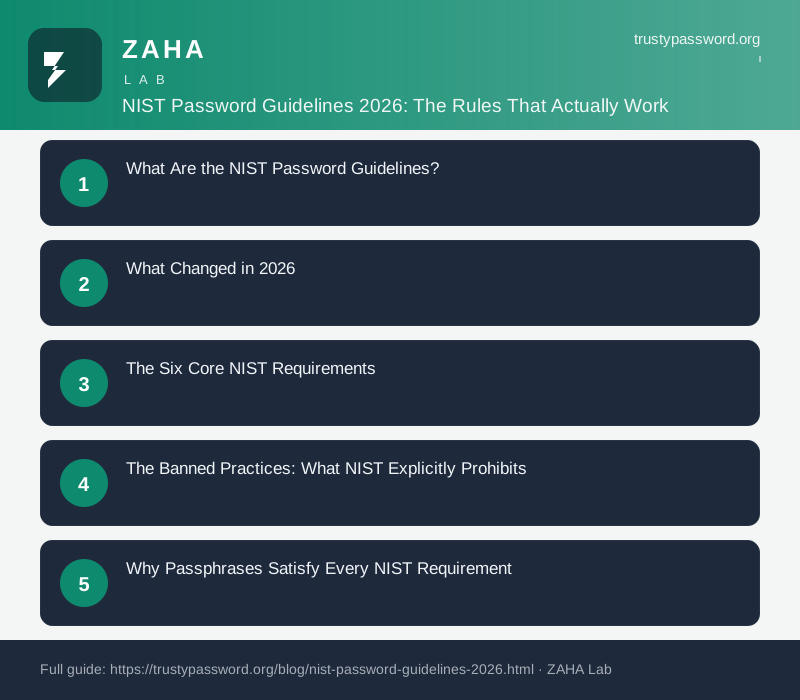
On this page
More than 90% of corporate password policies still mandate forced rotation and special character requirements. NIST stopped recommending both practices in 2017, and its 2026 guidance is more direct than ever: these rules make passwords weaker, not stronger. Every forced quarterly reset produces passwords like "Summer2026!" that attackers crack in seconds.
The updated guidelines, finalised through NIST SP 800-63-4 in 2024 and now reflected in agency guidance for 2026, represent a complete departure from the "complexity over length" thinking that dominated the 2000s. Here is exactly what they say, what they prohibit, and what you should do differently today.
What Are the NIST Password Guidelines?
NIST SP 800-63B defines how "verifiers" (any service that authenticates users, whether a bank login, a work VPN, or a government portal) should handle passwords. The current guidance applies to three assurance levels, ranging from low-stakes consumer accounts to high-assurance federal systems. The password requirements discussed here apply to all three levels, with some variations at the highest tier.
The guidelines address two categories: what verifiers must do and what they should avoid. Both categories directly challenge the conventional wisdom that drove two decades of IT security policy.
According to NIST SP 800-63B Section 5.1.1: "Verifiers SHOULD NOT impose other composition rules (e.g., requiring mixtures of different character types or prohibiting consecutively repeated characters) for memorized secrets." That sentence quietly invalidates the uppercase-lowercase-number-symbol requirement baked into thousands of enterprise security policies.
What Changed in 2026
The core NIST password guidance has not changed dramatically between 2017 and 2026. What has changed is the surrounding context. In 2026, most major identity providers (Microsoft Entra ID, Okta, Google Workspace) have already implemented NIST-aligned policies as their defaults. That shift exposes just how outdated many corporate password policies are.
| Practice | Old Conventional Wisdom | NIST 2026 Position |
|---|---|---|
| Forced rotation | Every 60-90 days | Only when compromised — never on a schedule |
| Complexity rules | Must mix uppercase, numbers, symbols | Not recommended — length matters more |
| Minimum length | 8 characters (common) | 8 minimum, 15+ strongly encouraged |
| Maximum length | Often 12-16 (blocking passphrases) | At least 64 characters required |
| Compromised password blocking | Optional or absent | Required — check against breach databases |
| Security hint questions | Widely used | Prohibited |
| Spaces in passwords | Often blocked | Must be accepted |
The context around the 2026 update matters too. The Verizon 2025 Data Breach Investigations Report found that stolen credentials caused 66% of all breaches analysed that year. Forced complexity rules produce predictable substitution patterns (@ for a, 3 for e, ! at the end) that modern cracking dictionaries handle routinely. Longer, randomly generated passwords simply do not have these patterns.
The Six Core NIST Requirements
These are the requirements that NIST places on organisations designing password policies, not individuals choosing passwords. If your workplace has rules that contradict any of these, the IT policy predates or ignores the federal standard.
1. Minimum 8 Characters, Maximum at Least 64
NIST requires a minimum of 8 characters and mandates that verifiers allow passwords up to at least 64 characters. There is no technical justification for a lower cap. Services that cut passwords off at 12 or 16 characters block passphrases and long random strings, actively pushing users toward shorter, weaker credentials.
The updated guidance also "strongly encourages" pushing users toward a 15-character minimum. Eight characters is the floor, not the target.
2. Compare Against Compromised Password Lists
When a user sets or changes a password, verifiers must check it against a list of known compromised passwords. The obvious source is the Have I Been Pwned dataset, which now contains over 10 billion compromised passwords from historical breach data.
According to NIST SP 800-63B: "Verifiers SHALL compare the prospective secrets against a list that contains values known to be commonly-used, expected, or compromised." A password rejected only because it lacks a symbol but never checked against breach databases is backwards from a security standpoint.
3. No Complexity Rules
NIST explicitly advises against mandatory composition rules. No requirements for uppercase letters, lowercase letters, numbers, or symbols. The reasoning is empirical: complexity rules push users toward predictable patterns. "Password1!" is technically complex. It is also the fourth most common password in breach databases.
4. No Scheduled Rotation
Forced periodic password changes should not happen unless there is evidence that a credential has been compromised. Forced resets train users to append incrementing numbers or seasons to a base word. Attackers know this. "Winter2026" cracked in seconds on modern hardware.
5. Accept All Printable ASCII Characters (Including Spaces) and Unicode
NIST requires verifiers to accept all printable ASCII characters, including spaces, and recommends accepting Unicode characters. A service that blocks spaces makes it impossible to set a passphrase. A service that blocks Unicode makes it harder for non-English speakers to use memorable native-language phrases.
6. Limit Failed Attempts
NIST requires rate limiting on authentication attempts to defend against online brute-force attacks. This means temporary lockouts, CAPTCHA challenges, or delays after a defined number of failed attempts. Without this, even a moderately strong password can be cracked online if the attacker has an automated submission tool.
The Banned Practices: What NIST Explicitly Prohibits
Beyond the "should not" recommendations, some practices are outright prohibited in NIST SP 800-63B. These are the hardest fails for any password policy.
- Knowledge-based authentication (security questions). "What is your mother's maiden name?" is prohibited at higher assurance levels. The answers are discoverable through social media, data broker databases, and data breaches. NIST calls these "out-of-wallet" questions and treats them as an unacceptable verification mechanism.
- SMS-only account recovery. SMS one-time passwords are classified as "RESTRICTED" authenticators in NIST guidance. They are vulnerable to SIM-swapping, SS7 protocol attacks, and interception. Acceptable alternatives include TOTP apps (Google Authenticator, Authy) and FIDO2 hardware keys.
- Storing passwords in plain text or with reversible encryption. NIST requires passwords to be stored as salted, slow-hashed values using algorithms like bcrypt, scrypt, Argon2, or PBKDF2. Reversibly encrypted password storage is treated as a failure.
- Showing a password strength meter that rewards complexity over length. This is subtle but important. Meters that score "Pa$$w0rd1" higher than "correct horse battery staple" are measuring the wrong thing. NIST explicitly calls out length as a primary entropy driver.
Why Passphrases Satisfy Every NIST Requirement
A passphrase is a sequence of random words used as a password. Four words chosen from the EFF Large Wordlist (7,776 entries) produce approximately 51.7 bits of entropy. The NCSC's guidance recommends three or four words as sufficient for most account types, while NIST's framework implies that the compromised-password check is a stronger safeguard than entropy alone.
A passphrase like "maple frost radio candle" (24 characters) does all of the following:
- Exceeds the 15-character recommendation
- Contains spaces (allowed under NIST)
- Uses no predictable complexity substitutions
- Is unlikely to appear in any breach database if words are randomly selected
- Is memorisable without a sticky note
By contrast, "Tr0ub4dor&3" (a famous xkcd example) is 11 characters, contains complexity markers, uses predictable substitutions, and produces roughly 28 bits of entropy. Passphrases win on every axis that NIST considers meaningful.
The passphrase generator on TrustyPassword.org uses a vetted word list to produce randomised phrases that satisfy NIST's minimum length requirements while remaining pronounceable and memorisable. For accounts where you need a password rather than a passphrase (some legacy systems still reject spaces), a password manager like NordPass can generate and store high-entropy random strings of 20+ characters without requiring you to memorise them.
NIST-Compliant Passwords in Practice
Translating NIST guidance into daily habit requires two things: a tool that generates NIST-aligned credentials, and a manager that stores them securely.
For Individual Users
- Stop reusing passwords. Every account should have a unique credential. This is not a NIST requirement but it is the most important single step you can take. One compromised service should not cascade into every other account.
- Choose length over complexity. A 20-character random string or a 5-word passphrase is stronger than any 8-character complex password. TrustyPassword.org's generator produces both formats.
- Check new passwords against breach databases. Before settling on any password, run it through the breach checker above. If a variation of that string appears in breach data, generate a new one.
- Use a password manager for everything except your master credential. The one password you need to memorise is the master password for your manager. Make it a passphrase of at least 6 random words, written on paper and stored physically if needed. For everything else, let a manager like NordPass generate and autofill 30-character random strings that no human could brute-force.
- Enable FIDO2/hardware key MFA on critical accounts. NIST considers hardware tokens the gold standard for authentication. On accounts protecting sensitive data (email, bank, password manager), a physical key eliminates the phishing and SIM-swap risks that compromise software MFA.
For IT Teams and Policy Designers
If your organisation's password policy still enforces 90-day rotation or mandates complexity rules, it needs updating. The practical steps align directly with NIST's requirements:
- Set the minimum to 15 characters, maximum to at least 64
- Remove uppercase, number, and symbol requirements from the policy
- Integrate Have I Been Pwned's API (or a comparable breach corpus) into the account creation flow
- Remove scheduled rotation reminders, replace with breach-triggered resets
- Enable passphrase-friendly input fields (accept spaces, do not truncate at 16 chars)
- Deprecate security questions for account recovery
Microsoft published a study in 2019 showing that forced password rotation had no measurable effect on preventing breaches. In the same period, credential stuffing attacks grew 400%. The relationship is causal: rotation forces users toward memorable, predictable patterns that stuffing attacks harvest at scale.
FAQs
What does NIST recommend for password length in 2026?
NIST SP 800-63B requires a minimum of 8 characters and recommends allowing up to 64 or more. The 2026 update encourages nudging users toward 15+ characters as a target, since length is the primary driver of password entropy.
Does NIST require periodic password changes?
No. NIST explicitly advises against forced periodic rotation unless there is evidence of compromise. Mandatory resets lead users to choose predictable, incrementally changing passwords that offer minimal security improvement.
Are complexity rules (uppercase, symbols, numbers) required by NIST?
No. NIST advises against mandatory complexity rules. Research shows they push users toward patterns like "P@ssword1" that satisfy the rules but are trivially crackable. Length is a stronger predictor of password security than character diversity.
What is a NIST-compliant password in 2026?
A NIST-compliant password is at least 8 characters long (15+ recommended), not on any compromised credential list, and not based on dictionary words, user attributes, or repeated characters. A passphrase of 4 to 6 random words satisfies all requirements while remaining memorisable.
Does NIST allow spaces in passwords?
Yes. NIST requires verifiers to accept all printable ASCII characters including spaces. Blocking spaces prevents users from setting passphrases and reduces the effective character set available for passwords.
When did NIST first stop recommending complexity rules?
NIST SP 800-63B, published in June 2017, first removed complexity requirements and mandatory rotation from its recommendations. The 2024 finalisation of SP 800-63-4 reinforced those positions and added new guidance on passphrase length and compromised-credential checking.