🎉 Black Friday Phishing Scams 2026: How to Spot Them and Shop Safely
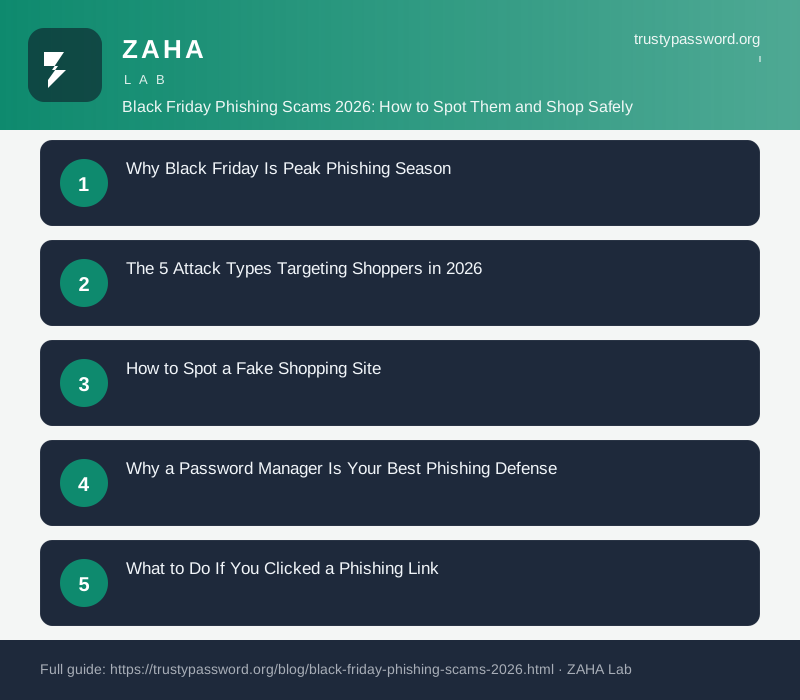
On this page
Cybercriminals registered over 1.3 million phishing domains in the 30 days before Black Friday 2025, according to Check Point Research. That is not a typo. One site per second, every second, for an entire month.
Black Friday phishing scams are fraudulent websites, emails, and messages designed to steal login credentials and payment card data during the holiday shopping rush. The five main attack types are fake retailer sites, delivery notification scams, gift card drainers, account takeover emails, and QR code fraud. Recognizing each one before you click is the only reliable defense.
This guide covers each attack type, the specific visual signals that separate real sites from fake ones, and the exact steps to take if you have already interacted with a suspicious link.
Why Black Friday Is Peak Phishing Season
Four factors converge to make late November the most dangerous four weeks of the year for credential theft.
First, shopping volume. Adobe Analytics reported $38 billion in US e-commerce spending during the five-day Thanksgiving period in 2025. That much transaction activity means consumers are conditioned to open deal emails, click payment confirmation links, and track deliveries without pausing to verify the sender.
Second, attention overload. The average inbox receives 15 to 20 more promotional emails per day during Black Friday week than in a typical week. When every message carries a discount or a tracking number, distinguishing a fake from a real one requires deliberate effort most people do not apply under time pressure.
Third, urgency as a weapon. CISA's phishing guidance notes that artificial time pressure is one of the most effective social engineering triggers. "Only 3 left at this price" and "Your order will be cancelled in 2 hours" are psychological levers attackers copy directly from legitimate retail marketing.
Fourth, AI-generated fake storefronts. In 2024, Group-IB identified over 600 AI-generated fake luxury retail websites that passed basic visual inspection. The sites featured realistic product photography, working cart functions, and customer review sections. The only functional difference from a real store was that no product ever shipped.
The 5 Attack Types Targeting Shoppers in 2026
1. Fake Retailer Sites (Typosquatting)
Attackers register domains that visually resemble popular retailer URLs. Common variations include swapping letters for numbers (amaz0n.com), adding words (amazon-uk-deals.com), or using country-code spoofing (amazon.co.uk.dealstoday.net). The landing page is a pixel-perfect copy of the real site. You enter your email and password to log in. The attacker captures both and redirects you to the real site so you never know anything went wrong.
The credential theft happens even if you notice the wrong URL after the fact. The login form sends data to the attacker's server the moment you press Enter.
2. Delivery Notification Scams
These arrive as SMS or email and mimic notifications from DHL, FedEx, UPS, Royal Mail, and Evri. The message claims your parcel is held due to a failed delivery attempt, an outstanding customs fee, or an address issue. The link goes to a fake carrier site that asks for your name, address, and card number to pay a small fee, typically between 1.99 and 4.99.
The fee itself is small enough that many people pay without questioning it. The real target is the card data. The National Cyber Security Centre (NCSC) reported a 54% increase in parcel delivery phishing in the November-December 2024 period compared to the monthly average for the rest of the year.
3. Gift Card Drainer Scams
These target gift card buyers and recipients. The attack takes two forms: fake "discounted gift card" sites that collect card numbers but never deliver the balance, and phishing emails impersonating retailers that prompt recipients to verify their gift card before it expires. Entering the card number and PIN on the verification page immediately drains the balance to an attacker-controlled account.
4. Account Takeover Emails
These impersonate Amazon, Apple, PayPal, or a bank and claim suspicious activity has locked your account. The link goes to a login page designed to harvest your credentials and, in some variants, your 2FA code via a real-time adversary-in-the-middle proxy. See the guide on AiTM phishing and 2FA bypass for a full breakdown of that technique.
5. QR Code Phishing (Quishing)
QR codes in emails, on physical promotional materials, or placed as stickers over real codes in stores link directly to phishing pages. The FBI's Internet Crime Complaint Center (IC3) flagged quishing as a rising attack vector in 2024, noting that QR codes bypass many email security filters because the malicious URL is embedded in an image rather than plain text. Physical QR stickers placed on restaurant tables and retail display stands to redirect shoppers to fake payment pages are particularly difficult to detect.
How to Spot a Fake Shopping Site
None of these checks individually guarantees a site is safe. Used together, they catch the overwhelming majority of fraudulent storefronts.
| Signal | What to Check | Red Flag |
|---|---|---|
| Domain name | Read the base domain character by character before the .com/.co.uk | Extra words, hyphens, or number substitutions |
| Domain age | Run through whois.domaintools.com | Registered within the past 30 days |
| Contact details | Look for a physical address and verifiable phone number | Only a contact form, no address |
| Pricing | Compare against Amazon, official brand site, and Google Shopping | More than 50% below any other legitimate seller |
| Payment methods | Check for card payments via Stripe, PayPal, or Klarna | Only bank transfer or cryptocurrency accepted |
| Safe Browsing | Paste the URL into transparencyreport.google.com/safe-browsing/search | Listed as dangerous or not safe |
HTTPS and a padlock icon are necessary but not sufficient. Attackers routinely obtain free SSL certificates from Let's Encrypt for phishing sites. HTTPS confirms the connection is encrypted. It says nothing about whether the site on the other end is legitimate.
Why a Password Manager Is Your Best Phishing Defense
A password manager provides a defense that visual inspection alone cannot match: automatic domain verification. When you land on amaz0n.com or amazon-deals-black-friday.net, your password manager will show no saved login for that site. That blank auto-fill is a direct, real-time signal that the domain is not the one you have ever logged into before.
This check happens at the domain level. It catches every typosquatting variant, every subdomain trick, and every URL-stuffed phishing link, regardless of how convincingly the page looks. Attackers can copy every pixel of Amazon's login page. They cannot copy the domain.
Beyond phishing defense, a password manager ensures you use a unique password on every shopping account. Credential stuffing attacks after a retail breach only work when you reuse passwords across sites. With unique credentials for each account, a breach at one retailer does not cascade into takeovers elsewhere.
NordPass runs automatic breach scans against your saved credentials and alerts you when any account appears in a data breach. That coverage is especially useful during peak shopping season, when retailer breaches are more common and often go unreported for weeks after the fact.
What to Do If You Clicked a Phishing Link
Speed matters. The window between entering credentials on a phishing page and an attacker attempting a login elsewhere is typically measured in minutes, not hours. Automated credential testing tools run continuously.
- Close the tab immediately without entering further information. If the page loaded, close the browser entirely.
- Run a malware scan on the device. Drive-by download attacks can install infostealer malware on some sites without any user interaction beyond loading the page. Use your existing security software or download the free version of Malwarebytes.
- Change the affected password on the real site within the next five minutes. Do this from a different device if possible, or at minimum from a new browser session.
- Check for password reuse. Open your password manager and search for any other accounts using the same password. Change each one before the attacker's credential stuffing bots test them.
- Contact your bank or card issuer immediately if you entered payment card details. Report the interaction and request a card replacement. Most banks can issue a virtual replacement number within minutes via their app.
- Enable 2FA on the affected account if it was not already active. Use an authenticator app rather than SMS for accounts that hold financial data or serve as your email recovery address.
- Report the site to Google Safe Browsing (safebrowsing.google.com/safebrowsing/report_phish/), the NCSC (report.ncsc.gov.uk in the UK), and the Anti-Phishing Working Group ([email protected]). This helps protect others before the site is taken down.
Pre-Shopping Security Checklist
Running through these before Black Friday removes most of the attack surface.
- Install a password manager and save a unique password for every retailer account you plan to use. The auto-fill domain check is not active unless saved credentials exist.
- Enable 2FA on your email account, payment services (PayPal, Apple Pay), and any high-value retail accounts. Your email account is the recovery gateway to everything else.
- Check whether your existing retail passwords have appeared in a breach using TrustyPassword.org's breach checker or HaveIBeenPwned. Change any that appear.
- Set up transaction alerts on your payment cards so unauthorized charges generate an immediate notification rather than appearing only on your monthly statement.
- Verify delivery notification URLs before clicking. The real UPS URL is ups.com. The real DHL URL is dhl.com. If a text message links anywhere else, go directly to the carrier site using a bookmark rather than the link.
- Update your browser and operating system before the shopping period. Several phishing kits in 2024 exploited unpatched browser vulnerabilities to run code on page load.
The NCSC advises consumers to treat any unsolicited email or text that requests account verification, delivery confirmation, or payment as suspicious by default during the November-December period. Visiting the retailer's site directly, rather than following links, eliminates the risk entirely for account-related communications.
FAQs
What is Black Friday phishing?
Black Friday phishing covers fraudulent websites, emails, SMS messages, and social media posts that impersonate retailers or delivery services during the holiday shopping season to steal credentials and payment data. The attacks are concentrated in the four-week period from early November through Cyber Monday because shoppers expect high volumes of deal and delivery communications and are more likely to click without pausing to verify.
How can I tell if a shopping site is fake?
Check the domain character by character for typosquatting variations. Look for a verifiable physical address in the footer. Run the domain through whois.domaintools.com to check its registration date. Any domain registered within the last 30 days selling consumer electronics or luxury goods is a warning sign. HTTPS alone is not sufficient: free SSL certificates are available to anyone, including attackers.
What should I do if I clicked a phishing link while shopping?
Close the tab, run a malware scan, and change the affected password on the real site immediately. If you entered card details, contact your bank to report potential fraud and request a replacement card. Prioritize accounts that use the same password as the one you entered, since credential stuffing attacks test those automatically within minutes.
Are QR codes safe to scan during Black Friday sales?
QR codes on official branded packaging and in confirmation emails you requested are generally safe. Treat QR codes in unsolicited emails and on physical stickers placed over original printed codes with extra caution. After scanning, check the full URL your camera app displays before tapping to open it. The FBI's IC3 flagged QR code phishing as a growing vector in 2024.
Does a password manager help with Black Friday phishing?
Yes. A password manager will not auto-fill credentials on a fake site because the domain does not match any saved entry. That blank auto-fill prompt is a reliable early warning signal. The protection works automatically, requiring no manual verification on your part. It catches typosquatting, subdomain tricks, and URL-obfuscated links equally well.
Written by Maya Greene, Security Researcher at TrustyPassword.org. Published 13 November 2026.