🔑 Why Passphrases Are Better Than Passwords: The Complete 2026 Guide
On this page
For years, security experts told us to create passwords with a mix of uppercase letters, lowercase letters, numbers, and symbols. The result? Billions of people using Password1! and Summer2024! — passwords that technically meet complexity requirements but offer virtually no real security. Passphrases — strings of random words — solve this fundamental problem by being simultaneously more secure and more memorable. This guide explains the science, the math, and the practical steps behind the passphrase advantage.
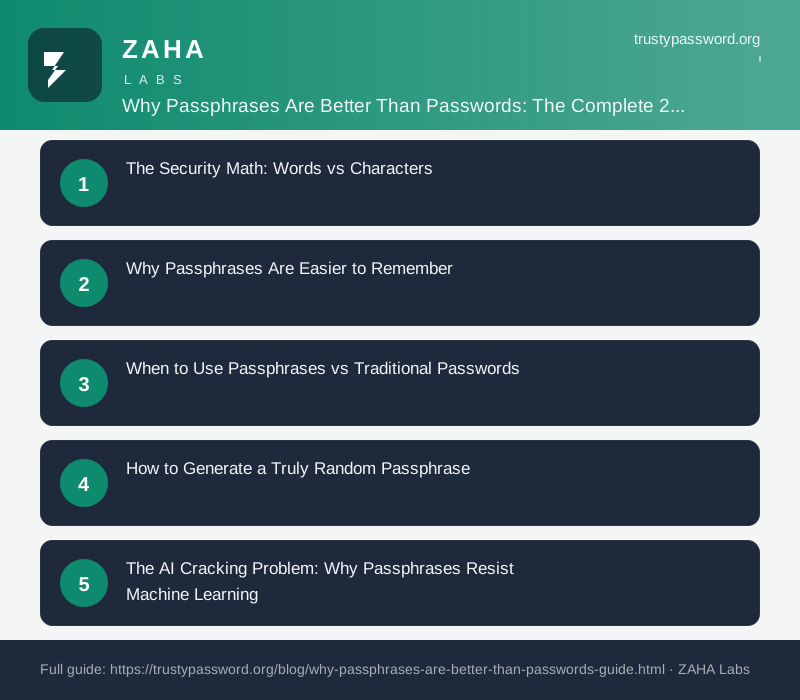
The Security Math: Words vs Characters
A 4-word passphrase drawn from a 7,776-word dictionary has 7,776^4 possible combinations — approximately 2^51 possibilities. A 12-character password from a 94-character set has 94^12 — approximately 2^78. So mathematically, the 12-character password has more possible combinations in theory. But this comparison ignores the most critical variable: how humans actually create and use passwords in practice.
When a human creates a "random" 12-character password, they follow deeply ingrained patterns. The first character is almost always an uppercase letter. The number goes at the end. The symbol is almost certainly ! or @. They use meaningful dates, names of family members, pets, or favourite sports teams. These patterns collapse the effective entropy from the theoretical 2^78 down to perhaps 2^30–2^40 — a reduction by a factor of billions. In contrast, a diceware passphrase achieves its full theoretical entropy because the words are selected truly randomly, either by physical dice or a CSPRNG.
NIST SP 800-63B has endorsed passphrases since 2017, and the NCSC's 2024 guidance explicitly recommends them over traditional complex passwords. The security community has reached a consensus: a randomly generated 5-word passphrase is more secure in practice than a 12-character human-chosen password, despite the lower theoretical keyspace.
Why Passphrases Are Easier to Remember
Human memory is fundamentally associative — we remember concepts, meanings, and imagery far better than random character strings. A passphrase like correct horse battery staple (made famous by the xkcd comic) creates a coherent mental picture that the brain can latch onto. Even a randomly generated passphrase like opal distant jasmine vault evokes visual associations — a glowing gem, a faraway landscape, a fragrant flower, a secure container — that the brain can use as retrieval cues.
Research published in Memory & Cognition found that participants recalled passphrases with 95% accuracy after two weeks, compared to just 65% for complex passwords of equivalent strength. The study concluded that passphrases offer "a rare win-win in usable security" — providing both stronger protection and better memorability than the alternatives.
This memorability advantage is especially critical for your password manager master passphrase — the single most important credential you own. A 6-word diceware passphrase like jasmine vault opal distant abacus nebula is both computationally unbreakable and genuinely memorable after a few days of practice. The brain can chunk the six words into a single conceptual unit, making recall nearly automatic.
When to Use Passphrases vs Traditional Passwords
Passphrases excel in specific scenarios but are not universal. For master credentials — your password manager vault, your primary email account, your banking login — a 5–7 word diceware passphrase is ideal. These are credentials you type manually, sometimes multiple times per day, so memorability matters enormously. The 64–90 bits of entropy from 5–7 words is more than sufficient for even the most sensitive accounts.
For routine website accounts, a password manager should generate and store random 20+ character passwords. The passphrase approach is for the credentials you personally manage and type, not for every account you own. A tool like NordPass handles the automatic generation and secure storage of site-specific passwords, while you only need to remember the master passphrase that unlocks the vault.
For shared family accounts — streaming services, shared utility bills, family cloud storage — passphrases shine because they can be communicated verbally without transcription errors. Telling a family member "jasmine opal distant vault" over the phone is vastly more reliable than spelling out "kD3!mP9z@sR7#vK2". Passphrases also reduce support calls from family members who cannot log into shared accounts.
How to Generate a Truly Random Passphrase
The gold standard for passphrase generation is diceware: roll physical dice to select words from a canonical wordlist. Each word corresponds to a unique five-dice roll, producing true physical entropy that cannot be compromised by malware or surveillance. The EFF large wordlist of 7,776 words is the standard recommendation, selected to exclude offensive terms and ambiguous words that could be confused with each other.
For most people, a software generator using cryptographically secure randomness is both sufficient and far more convenient. The generator at TrustyPassword.org uses CSPRNG to produce passphrases with the same entropy as diceware, in a fraction of the time. However, one rule applies to both methods: never choose your own words. Human-chosen word sequences follow predictable patterns — sports teams, food items, place names — that attackers build into their cracking dictionaries. The randomness must come from a cryptographic source, not your imagination.
The AI Cracking Problem: Why Passphrases Resist Machine Learning
Modern password cracking tools incorporate neural networks trained on billions of leaked passwords. These AI models excel at predicting human password patterns — they know that users capitalise the first letter, add a number at the end, and choose dates or names. Tools like PassGAN and HashCat's Markov-mode attacks can crack a large percentage of human-chosen passwords in minutes.
However, diceware passphrases fundamentally resist AI-powered cracking because the wordlist is flat — every word in the 7,776-word list has exactly equal probability of appearing at any position. AI models trained on leaked password databases find no exploitable patterns in diceware passphrases. The neural network performs no better than brute force against true random word selections. This makes passphrases uniquely future-proof against the next generation of AI-assisted credential attacks, a property that traditional passwords cannot match.
Passphrase Length and Entropy Guidelines
Choosing the right number of words depends on the value of the account being protected. A 4-word passphrase provides 51.6 bits of entropy — adequate for low-value accounts like newsletter subscriptions or forum memberships. A 5-word passphrase provides 64.5 bits — the recommended minimum for most accounts in 2026, equivalent to a 10-character random password. A 6-word passphrase provides 77.4 bits — ideal for high-value accounts like your password manager master password, primary email, and banking credentials.
For maximum security, a 7-word passphrase provides 90.3 bits, which is sufficient for classified or high-risk environments. Beyond 7 words, the additional security is marginal for most users, and the memorability burden begins to increase. The sweet spot for the vast majority of people is 5 to 6 words, providing the best balance of security and usability.
FAQs
Are passphrases really more secure than passwords?
Yes, when properly generated. A 5-word diceware passphrase (64 bits of entropy) is equivalent to a 10-character random password from the full 94-character set. But unlike human-chosen passwords, passphrases achieve their full theoretical entropy because the words are selected truly randomly.
How many words should my passphrase have?
Four words (51 bits) is the minimum for adequate security. Five words (64 bits) is the recommended sweet spot for 2026. Six words (77 bits) is ideal for high-value accounts like your password manager master password.
Can I use a passphrase everywhere?
Some legacy systems — particularly banking and government portals — enforce character-based complexity requirements that passphrases cannot meet. For those accounts, use a random 20+ character password from your password manager.
How do I remember my passphrase?
Type it several times over the first few days. The muscle memory develops quickly. Write it down and store it in a safe for the first week as a backup. After that, most people find 5–6 word passphrases are remembered effortlessly.
Sources
- NIST Special Publication 800-63B Digital Identity Guidelines
- NCSC Password Guidance 2024
- Memory & Cognition Journal: Passphrase Recall Study
- EFF Large Wordlist Documentation
- OWASP Authentication Cheat Sheet
Affiliate Disclosure: This post may contain affiliate links. If you purchase through these links, we may earn a small commission at no extra cost to you. Our password generator is free to use. Full disclosure.