Is a Paid Antivirus Password Manager Worth It in 2026? The Honest Answer
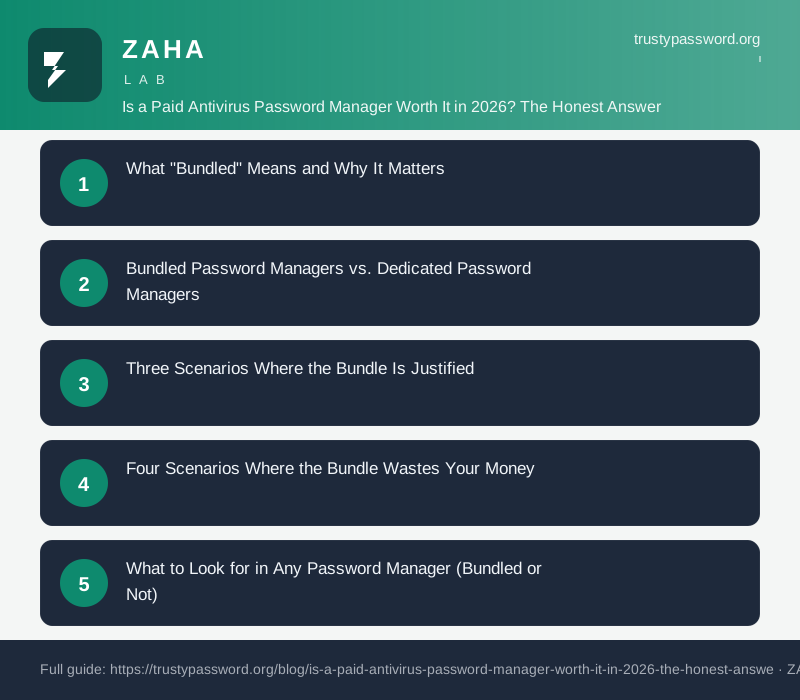
For most people: no. The password manager bundled inside a paid antivirus suite is almost always weaker than a dedicated free tool — and you're paying for it anyway as part of a larger subscription.
Here's what you actually get, where the bundles fall short, and how to decide what's right for you.
What "Bundled" Means and Why It Matters
Major antivirus vendors — Norton, McAfee, Bitdefender, Kaspersky, and others — now include a password manager in their mid-tier and premium plans. On paper it looks like a free bonus. In practice, the password manager is rarely their core product. It's a retention feature designed to make cancellation more painful, not a best-in-class security tool.
That distinction matters because password management is one of the highest-leverage security decisions you make. A weak password manager used poorly is more dangerous than no password manager, because it creates false confidence.
Bundled Password Managers vs. Dedicated Password Managers
| Feature | Bundled (antivirus suite) | Dedicated free tier | Dedicated paid tier |
|---|---|---|---|
| Cross-device sync | Often limited to plan tier | Usually unlimited | Unlimited |
| Browser extensions | Usually 2–3 major browsers | All major browsers + mobile | All browsers + mobile + CLI |
| Zero-knowledge architecture | Varies by vendor | Standard for top tools | Standard, often audited |
| Passkey support | Partial or absent | Full support in leading tools | Full support |
| Emergency access | Rare | Available in most dedicated tools | Available |
| Secure sharing | Basic or paywalled | Available in free tier (some) | Full sharing vaults |
| Independent security audits | Rarely published | Regularly published | Regularly published |
| Annual cost (password manager portion) | Bundled — no line-item transparency | $0 | $10–$36/year |
The pattern is consistent: bundled password managers lag 12–24 months behind dedicated tools on features, and security audits are harder to find for them.
Three Scenarios Where the Bundle Is Justified
1. You were going to pay for antivirus anyway. If you have a household with Windows devices that genuinely need active malware protection — and you'd buy the antivirus regardless — the bundled password manager is a reasonable second tool for simple use cases like storing Wi-Fi passwords or your Netflix login.
2. You're managing security for a less technical family member. One subscription, one app, one support call. The simplicity argument is real for people who won't set up a separate tool. A bundled password manager they actually use beats a dedicated one they never install.
3. You need identity monitoring with the same vendor. Some antivirus suites integrate password breach alerts directly into their identity monitoring dashboards. If you're paying for identity theft protection and want consolidated alerts in one place, the bundle has a coherent story.
Four Scenarios Where the Bundle Wastes Your Money
1. You only want a password manager. Antivirus suites with a password manager start around $40–$100/year. Dedicated password managers with equivalent or better features cost $0–$36/year. You're paying a 2–10× premium for security software you may not need.
2. You use macOS or iPhone primarily. Built-in platform tools (Apple Passwords, iCloud Keychain) have matured significantly. For Apple-ecosystem users, the marginal value of either a bundled or paid antivirus password manager is low. macOS has strong native malware resistance, and the keychain syncs across all Apple devices for free.
3. You care about passkey management. Passkeys are replacing passwords for major services in 2026. Dedicated tools like Bitwarden, 1Password, and others have full passkey vault and sharing support. Most bundled antivirus password managers treat passkeys as a footnote, if they appear at all.
4. You need secure team or family sharing. Bundled password managers are designed for a single user. Sharing credentials across a family or small team usually requires upgrading to a family plan — at which point the cost comparison gets worse, not better.
What to Look for in Any Password Manager (Bundled or Not)
Before you decide, run your current or prospective password manager through this short checklist:
- - Zero-knowledge encryption: The vendor cannot see your passwords. Your master password never leaves your device unencrypted.
- - Published third-party audit: Independent firms like Cure53 or Securitum should have reviewed the codebase within the last 24 months.
- - Passkey support: You should be able to store, autofill, and sync passkeys, not just passwords.
- - Cross-platform browser extension: Chrome, Firefox, Safari, and Edge, all working without manual copy-paste.
- - Breach monitoring: Automatic alerts when a site you have a login for reports a data breach.
If a bundled tool fails two or more of these, the "free bonus" is not adding security value — it's adding an unused feature you've already paid for.
The Real Cost Comparison in 2026
The antivirus market has consolidated around multi-feature "security suites." A typical mid-tier plan from a major vendor runs $50–$80/year for one device, or $100–$150/year for a family. The password manager inside is not priced separately and vendors rarely publish what percentage of your subscription covers it.
By contrast:
- - Bitwarden free covers unlimited passwords, unlimited devices, and passkeys at $0.
- - Bitwarden Premium adds emergency access, advanced 2FA options, and encrypted file attachments for $10/year.
- - 1Password Individual runs $36/year and includes Travel Mode, Watchtower breach monitoring, and full passkey support.
If your antivirus suite costs $80/year and you replace the bundled password manager with Bitwarden free, you save $80 and get a better password manager. If you need antivirus, compare the antivirus functionality alone — then add a dedicated password manager on top. The combined cost is often still lower than a premium security suite.
Frequently Asked Questions
Is a bundled antivirus password manager safe to use? Generally yes, with caveats. The reputable vendors use AES-256 encryption. The risk is not that they're insecure in absolute terms — it's that they tend to skip independent audits and lag on features like passkeys, which matters for forward-looking security.
Can I use the antivirus without the password manager? Yes. The password manager module is optional in every major suite. You can install the antivirus and simply not set up the password manager, then use a dedicated tool instead.
Do free password managers actually work as well as paid ones? For most individual users, yes. Bitwarden free, for instance, offers unlimited passwords, all major browser extensions, passkey support, and secure notes at no cost. The paid tiers add emergency access and advanced authenticator options — useful for some, unnecessary for many.
What happens to my passwords if I cancel my antivirus subscription? This is the main risk of bundled tools. Most vendors lock or delete vault access when a subscription lapses. With a dedicated password manager, your vault is yours regardless of billing status (at least for export/migration). Always export your vault before cancelling anything.
Is Norton Password Manager good? Norton Password Manager is functional for basic use. It offers browser autofill and cross-device sync for Norton subscribers. It does not have independently published security audits as of late 2026, lacks full passkey vault support, and cannot be used without an active Norton subscription.
Should I use a password manager at all in 2026? Yes — without question. Reused and weak passwords remain the leading cause of account compromises. Even a basic password manager used consistently is a large improvement over manual password habits. The only real debate is which one and what you pay for it.
Next Steps
- 1. Audit your current setup. If you're on an antivirus suite, open the password manager module and check: how many passwords are stored, are they syncing across your devices, and when was the last security audit published?
- 2. Export your vault. Before switching anything, export your existing passwords to an encrypted CSV. Keep it offline. This is your safety net.
- 3. Try a dedicated free tier. Bitwarden free takes about ten minutes to set up with the browser extension. Import your existing vault, use it for two weeks, and compare the experience.
- 4. Decide on antivirus separately. If you need active malware protection, evaluate antivirus tools on their malware detection rates, not on what extras they bundle. Windows users on Windows 11 with Microsoft Defender and careful browsing habits have a credible argument for not needing third-party antivirus at all.
- 5. Generate strong passwords for high-value accounts now. Regardless of which tool you choose, your email, banking, and primary social accounts should have unique 20+ character passwords today. A free generator at securekeygenerator.com or bestpasswordgenerator.org takes seconds and costs nothing.
The bundle question has a simple answer: buy security tools that do one thing well, not suites that do several things adequately.