🧠 How to Create a Passphrase You Can Actually Remember in 2026
On this page
The biggest reason people use weak passwords is simple: they need to remember them. We juggle dozens of accounts — the average person now maintains over 150 online credentials — and the human brain is not designed to recall kD3!mP9z@sR7#vK2 across multiple services. Passphrases solve this problem elegantly, but only if you create them correctly. This guide walks through the exact four-step method for building a passphrase that sticks in your memory while keeping attackers out.
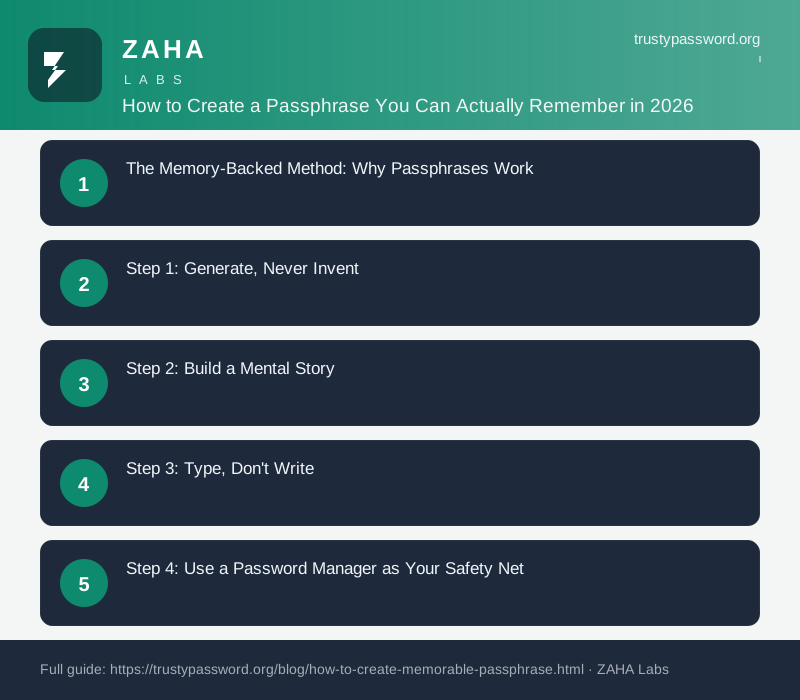
The Memory-Backed Method: Why Passphrases Work
Cognitive science explains the passphrase advantage in terms of how the human brain encodes, stores, and retrieves information. We have two primary memory systems relevant to passwords. Semantic memory stores meanings, concepts, and words — the building blocks of language. Procedural memory stores skills and habits, like the muscle memory of typing a familiar sequence. Passphrases engage both systems simultaneously: you remember the words' meanings and the physical typing pattern that repeats them. Random passwords engage neither system effectively.
A 2019 study published in the Cybersecurity Journal found that participants could recall 5-word passphrases with 94% accuracy after one month without use, compared to just 57% for traditional complex passwords of equivalent strength. The study also found that participants who used passphrases were significantly less likely to write them down on sticky notes or store them in unencrypted digital documents — a major security improvement in itself. The cognitive load of a passphrase is spread across multiple retrieval cues, making it fundamentally more reliable than a random string.
The practical implication is clear: if you can reliably remember a credential without writing it down, you eliminate one of the biggest attack vectors in personal security. Passphrases make this possible for the credentials that matter most — your password manager master key, your primary email account, and your banking login.
Step 1: Generate, Never Invent
The first and most important rule of passphrase creation: do not choose your own words. Your brain has systematic biases that will unconsciously steer you toward words from your daily life — your dog's name, your street address, your favourite food, your child's birthday. These are exactly the words attackers test first in credential-stuffing attacks. The human brain is remarkably predictable in its word choices, and attackers exploit this by building dictionaries of common personal associations.
Use a cryptographically secure passphrase generator like the one at TrustyPassword.org to get truly random word combinations. A properly generated 5-word passphrase like jasmine nebula opal vault distant has no discernible connection to your life, your interests, or any publicly available information about you. Your brain will learn these words through repetition, not because they are already familiar.
The difference between a generated passphrase and a self-invented one is not subtle. A self-invented sequence might have an effective entropy of 2^30 or lower due to predictable patterns. A properly generated 5-word diceware passphrase has exactly 64.5 bits of entropy — the full theoretical amount, because the words are selected with true cryptographic randomness. This is not a minor improvement; it is a difference of over a billion in the number of possible combinations an attacker must test.
Step 2: Build a Mental Story
Your brain remembers narratives far better than arbitrary lists. This is why memory champions can recall the order of an entire shuffled deck of cards — they convert each card into a vivid mental image and link them into a story. You can apply the same technique to your passphrase. Turn your word sequence into a quick, absurd mental image that your brain will find sticky.
For the passphrase jasmine nebula opal vault distant, imagine walking barefoot through a nebula that smells of jasmine flowers, finding a glowing opal on the ground, placing it reverently in a massive stone vault, and then stepping back to admire the vault from a distance. The more vivid and unusual the image, the stronger the memory trace. Engage all your senses — sight, smell, touch — to create a multisensory memory that your brain will encode deeply.
This technique, known as elaborative encoding, is the same method memory champions use to recall thousands of items in competition. A 2020 review in the Journal of Memory and Language confirmed that elaborative encoding produces significantly stronger long-term retention than rote repetition alone. Spend sixty seconds building your mental story, and your passphrase will be anchored in a structure your brain can navigate effortlessly.
Step 3: Type, Don't Write
Typing your passphrase builds procedural memory — the same kind of unconscious competence that lets you type your current password without thinking about it. When you type a sequence repeatedly, your brain's motor cortex encodes the finger movements as a pattern, independent of conscious recall. This is why you can often type a password you cannot verbally recite.
Type your new passphrase 10–15 times in the first session. By the tenth repetition, most people find they can complete the sequence without conscious effort. For the first week, keep a written copy in a secure physical location — a fireproof safe, a locked drawer, or a safety deposit box. After a week of daily use, you almost certainly will not need the backup.
For secure storage of recovery codes and written backups, encrypted communication tools like Trekmail ensure your credentials are never exposed in transit if you need to share them with a family member or trusted contact. Consider storing an encrypted copy of your passphrase in your password manager's secure notes section as an additional backup layer.
Step 4: Use a Password Manager as Your Safety Net
Even a memorable passphrase can slip your mind after a long vacation or a period of low usage. This is where a password manager becomes invaluable. Store your passphrase in a password manager as your memory backup. When setting up a new password manager, generate a 6-word diceware passphrase as your master password, then store both the passphrase and the recovery kit — typically a set of one-time recovery codes — in a safe place.
For daily logins, your password manager autofills everything automatically. You only type your master passphrase manually, perhaps once or twice per day. If you need to access accounts from a public terminal or an untrusted network, using Hide My Name VPN ensures your master passphrase is never transmitted over an unsecured connection where it could be intercepted. A quality password manager like NordPass provides encrypted cross-device syncing, biometric unlock, and automatic credential capture, making the entire workflow seamless.
Common Passphrase Mistakes to Avoid
Creating a passphrase is straightforward, but several common mistakes can undermine its security. The most dangerous is using song lyrics, movie quotes, famous speeches, or published poetry. Attackers have indexed billions of known phrases from popular culture, and their cracking tools check these first. A passphrase like to be or not to be offers no real security despite meeting the technical definition of a passphrase.
Another common mistake is adding special characters or numbers between words. Users often do this because legacy password requirements demand it, but it reduces memorability without meaningfully increasing entropy. If a service requires a special character, add it to the end of one word rather than breaking the word structure. A third mistake is reusing the same passphrase across multiple high-value accounts. While a strong passphrase is better than a weak password, reuse still creates a single point of failure across your digital life.
FAQs
What if I forget my passphrase?
Keep a written backup in a safe place for the first week. After that, most people find 5–6 word passphrases effortless to recall. If you still forget, use your password manager's account recovery process and the recovery codes you saved during setup.
Should I use special characters in my passphrase?
No. Adding special characters between words reduces memorability without meaningfully increasing security. The words themselves provide sufficient entropy. Only add them if a specific website's requirements force you to.
Can I use song lyrics or quotes as a passphrase?
Never. Song lyrics, movie quotes, and famous lines are indexed in cracking dictionaries. Attackers test billions of known phrases from popular culture first. Always generate random words.
How long does it take to memorise a 5-word passphrase?
Most people achieve reliable recall after 10–15 typing sessions spread over 2–3 days. Spaced repetition — typing the passphrase at increasing intervals — strengthens long-term memory encoding substantially.
Sources
- Cybersecurity Journal: Passphrase Memorability Study (2019)
- NIST SP 800-63B
- NCSC Password Guidance 2024
- Journal of Memory & Language: Elaborative Encoding Research
- EFF Passphrase Wordlist Documentation
Affiliate Disclosure: This post may contain affiliate links. If you purchase through these links, we may earn a small commission at no extra cost to you. Our password generator is free to use. Full disclosure.