🎲 Diceware Passphrase: How to Generate Unbreakable Passwords with Physical Dice
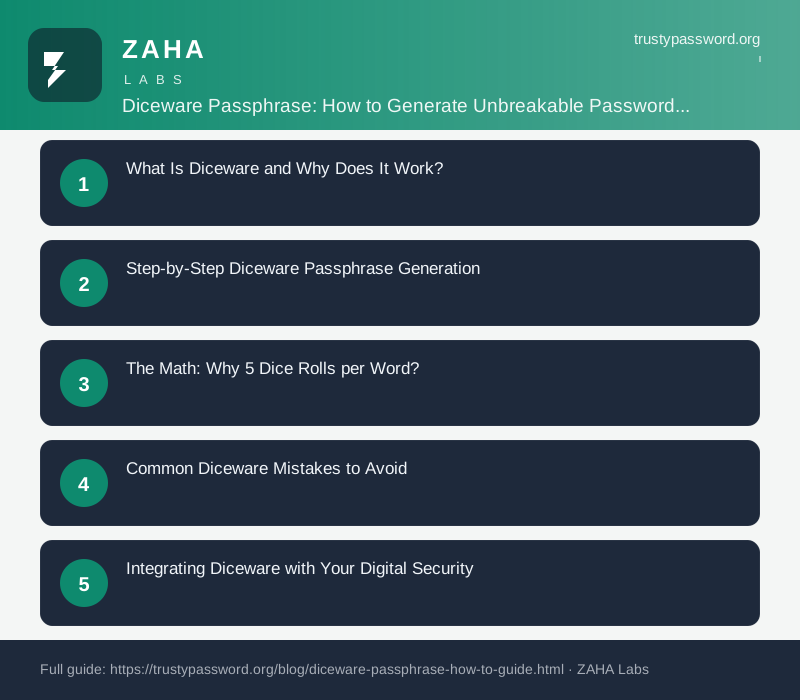
On this page
Diceware is the most trusted method for generating secure passphrases offline using nothing but physical dice, a pen, and paper. Invented by Arnold Reinhold in 1995, the technique has been endorsed by security researchers worldwide for generating master passwords that combine high entropy with genuine memorability. This guide walks through the exact process, the math behind it, how to avoid common mistakes, and how to integrate diceware passphrases into your complete digital security setup.
What Is Diceware and Why Does It Work?
Diceware works by using physical dice to select words randomly from a pre-defined wordlist. The standard EFF (Electronic Frontier Foundation) wordlist contains 7,776 words — exactly 6^5, matching the five dice rolls needed to select each word. Because the selection is physically random and the wordlist is publicly known, the entropy of a diceware passphrase can be precisely calculated: each word contributes log2(7776) = 12.9 bits of entropy. There is no guesswork, no estimation, no "good enough" approximation — the security is mathematically provable.
The key insight that makes diceware superior to human-chosen passwords is that true randomness comes from the physical dice, not human choice. Human-chosen words follow deeply predictable patterns based on personal experience, cultural background, and psychological biases. Diceware words are selected by the quantum indeterminacy inherent in each dice roll — genuinely unpredictable even in principle. This is the only password generation method that reliably achieves its full theoretical entropy in practice, and it has been doing so for nearly thirty years without a single documented practical break.
The security community's confidence in diceware is demonstrated by its adoption at the highest levels. Security researchers, cryptography engineers, and privacy advocates consistently recommend diceware for master password generation. The EFF, whose wordlist is the most widely used, endorses the method in its Surveillance Self-Defense guides.
Step-by-Step Diceware Passphrase Generation
Here is the exact process to generate a diceware passphrase. First, acquire five six-sided dice. Using dice of different colours makes it easier to read the results consistently — for example, always read the red die first, then blue, green, yellow, and white. Roll all five dice simultaneously. Read the results as a five-digit number where each digit is between 1 and 6 (for example, 3-5-2-1-6). Locate that five-digit number in your chosen wordlist — each entry pairs a number with its corresponding word. Write down the word. Repeat the process for each word in your passphrase.
For a 6-word passphrase (the recommended length for master passwords), you need six independent dice rolls, generating six words like jasmine opal distant vault abacus nebula. Write each word down as you generate it, keeping the paper in a secure location. After all words are recorded, type the complete passphrase into your password manager or other secured location to verify it works correctly. The generator at TrustyPassword.org provides software-based diceware generation using CSPRNG, which achieves equivalent security when physical dice are not available or convenient.
After successfully testing the passphrase, store your written backup in a fireproof safe or a locked drawer. Do not store it in a digital file on your computer, phone, or cloud storage — the entire point of physical diceware is air-gapped security. If you must share the passphrase with a family member or trusted contact for emergency access, use Trekmail's encrypted email to ensure it is never transmitted in plain text.
The Math: Why 5 Dice Rolls per Word?
The choice of five dice rolls per word is deliberate and mathematically grounded. Five dice produce 6^5 = 7,776 possible outcomes. This number was chosen because it is large enough to provide approximately 12.9 bits of entropy per word — strong enough for high-security applications — while keeping the wordlist manageable for manual lookup. A larger wordlist would require more dice rolls and increase lookup time without a proportional security benefit.
Each word in a diceware passphrase contributes exactly 12.9 bits of entropy, and these entropies add linearly because the words are selected independently. A 4-word passphrase provides 51.6 bits — adequate for basic accounts. A 5-word passphrase provides 64.5 bits — the recommended minimum for most purposes in 2026. A 6-word passphrase provides 77.4 bits — ideal for master passwords and high-value accounts. Additional words beyond 6 increase entropy linearly: 7 words gives 90.3 bits, 8 words gives 103.2 bits, and so on. The linear relationship means there is no upper limit: you can always add more words to increase security.
To put these numbers in perspective, a 6-word diceware passphrase (77.4 bits) is approximately equivalent in strength to a 12-character fully random password drawn from the full 94-character set. However, the diceware passphrase is vastly more memorable — your brain processes six word-level chunks far more efficiently than twelve random characters.
Common Diceware Mistakes to Avoid
The most common mistake users make is choosing their own words instead of following the dice method. Your brain will unconsciously select words from your daily experience — your neighbourhood, your hobbies, your profession — which attackers can predict based on publicly available information about you. Always use the physical dice or a CSPRNG-based software generator. The randomness must come from a truly random source, not your intuition.
Another frequent mistake is storing the passphrase in plain text on a digital device. If you need to record it temporarily while memorising, write it on paper and store it in a secure physical location — never in a notes app, cloud document, or digital file. A third mistake is reusing the same diceware passphrase across multiple high-value accounts. While a diceware passphrase is extremely strong, reuse creates a single point of failure across your digital life. Use your password manager to generate unique credentials for each account, and reserve your diceware passphrase for the master vault key only.
For accessing your password manager from public or untrusted networks, use Hide My Name VPN to encrypt your connection and prevent credential interception. Even the strongest diceware passphrase can be compromised if typed over an unsecured Wi-Fi network where an attacker is running a man-in-the-middle attack.
Integrating Diceware with Your Digital Security
Diceware passphrases are ideal as master passwords for password managers. Generate a 6-word passphrase offline using physical dice, then use it as your vault master password. Store a paper backup in a fireproof safe. Once your manager is unlocked, generate random passwords for all individual accounts using the manager's built-in generator or TrustyPassword.org. The password manager stores these site-specific credentials securely, so you only need to remember the diceware passphrase that unlocks the vault.
For comprehensive protection beyond the vault itself, pair your diceware master password with dedicated security software. Kaspersky Premium adds breach monitoring, endpoint protection, and credential health checks to your security stack. The combination of a physically generated 6-word diceware passphrase, an encrypted password manager, and endpoint security provides layered defence against virtually all attack vectors in 2026. For convenient management of the credentials your password manager stores, NordPass offers encrypted cross-device syncing and one-click password changes that work seamlessly with your diceware master passphrase.
When to Use Software Generators Instead
Physical diceware is the gold standard for paranoia, but it is not always the most practical choice. For everyday use — generating passphrases for less critical accounts, creating credentials on the go, or assisting family members — a software generator using CSPRNG is equally secure and far more convenient. The generator at TrustyPassword.org produces passphrases with the same entropy as physical diceware, using your browser's cryptographically secure random number generator. The software never sends your passphrase over the network — everything happens locally in your browser.
Choose physical diceware when generating your master password manager passphrase, or when you are particularly concerned about malware or surveillance. Choose a software generator for convenience when creating passphrases for everyday accounts. Both methods produce passphrases with mathematically identical entropy when implemented correctly.
FAQs
Can I reuse dice rolls?
No. Each passphrase word requires an independent dice roll. Rolling the dice multiple times for the same word does not increase security — each word needs its own unique five-dice roll.
What wordlist should I use?
The EFF Large Wordlist (7,776 words) is the standard recommendation. It excludes offensive words and ambiguous terms. The original Diceware wordlist and the EFF Short Wordlist (1,296 words, 4 dice) are also available for different entropy requirements.
Is physical diceware better than software generators?
For entropy, both are equivalent if the software uses CSPRNG. Physical diceware is superior for paranoia — no computer, no network, no malware can compromise the generation process. Software generators are more convenient for everyday use.
What if I lose my passphrase backup?
Keep recovery codes from your password manager in a separate secure location. Most managers provide emergency access sheets with QR codes or one-time recovery codes that can restore access without the master passphrase.
Sources
- EFF Diceware Documentation and Wordlists
- Arnold Reinhold: The Diceware Passphrase System (1995)
- NIST SP 800-63B Digital Identity Guidelines
- NCSC Password Guidance 2024
- OWASP Authentication Cheat Sheet
Affiliate Disclosure: This post may contain affiliate links. If you purchase through these links, we may earn a small commission at no extra cost to you. Our password generator is free to use. Full disclosure.